With over 69 million items indexed on Scopus, how can you find and organize relevant research and keep updated on new material, so you have more time for other activities?
Susannah Beatty outlines some key Scopus features that can help.
Getting to the right results
Whether you jump right in and start with a broad search on Scopus, or you prefer a more targeted and specific search approach, some key search tips can help save you time and lead you to more relevant results. Here are a few to start you off:
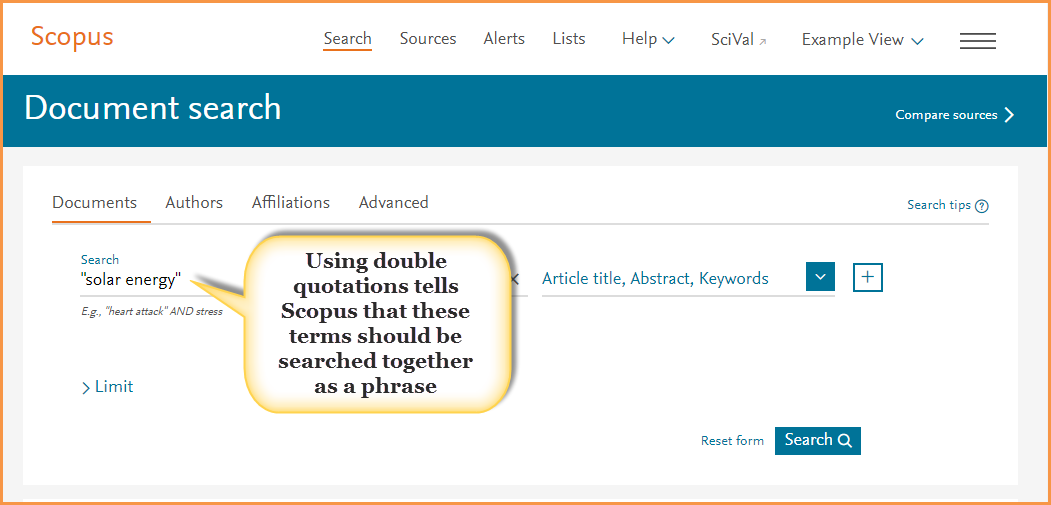
Use double quotations to search phrases. For example, if in the search box you typed: solar energy without quotations, Scopus returns over 168,400 document results. However, if you include the double quotations: “solar energy,” Scopus will look for items where “solar energy” is used as a phrase, reducing your results to just over 80,700 documents.
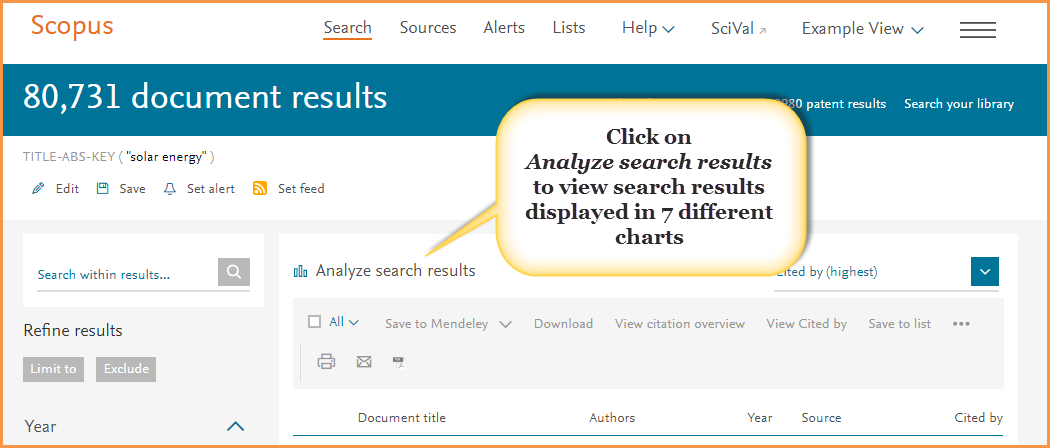
Analyze and filter your search results. The 80,700+ results returned from our “solar energy” search is still a large number to work with, so how can you narrow this down? Try these two features:
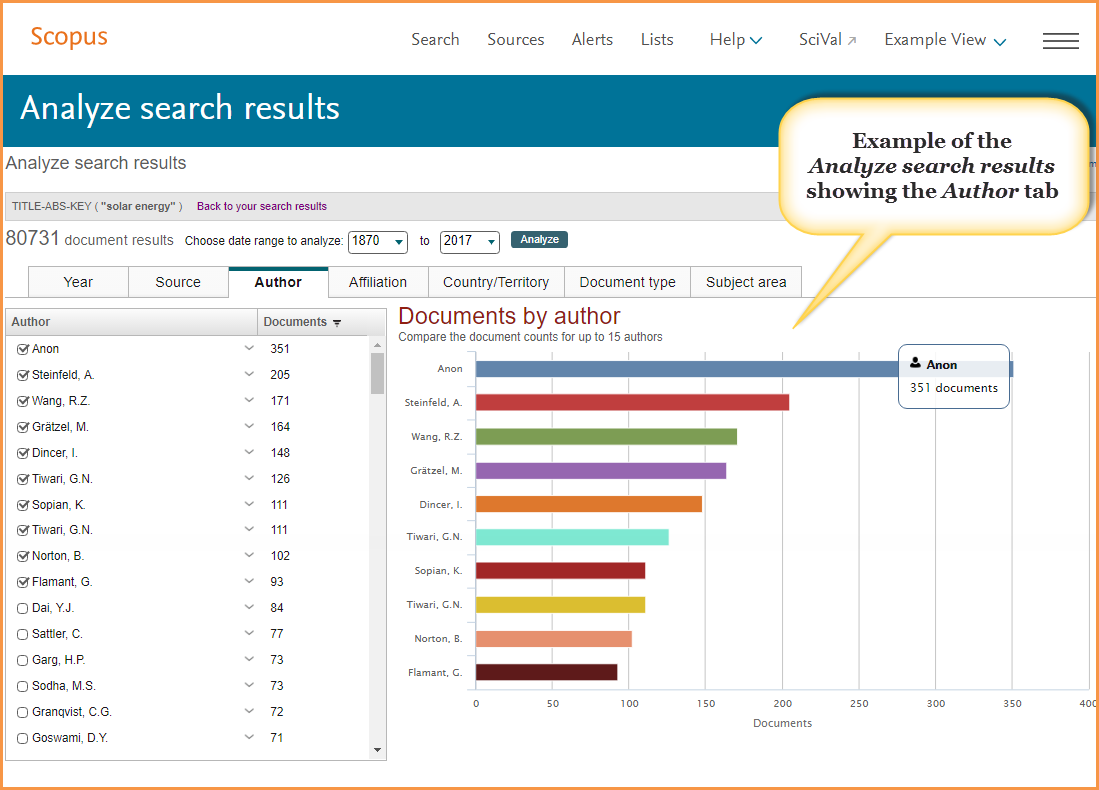
- Analyze search results: This tool provides a visual analysis of your search results broken up into seven categories (year, source, author, affiliation, country or territory, document type and subject area). Use these charts to gain a different perspective and understanding of your results. For example, the “Year” chart can help you quickly identify the most prolific authors in your research topic.
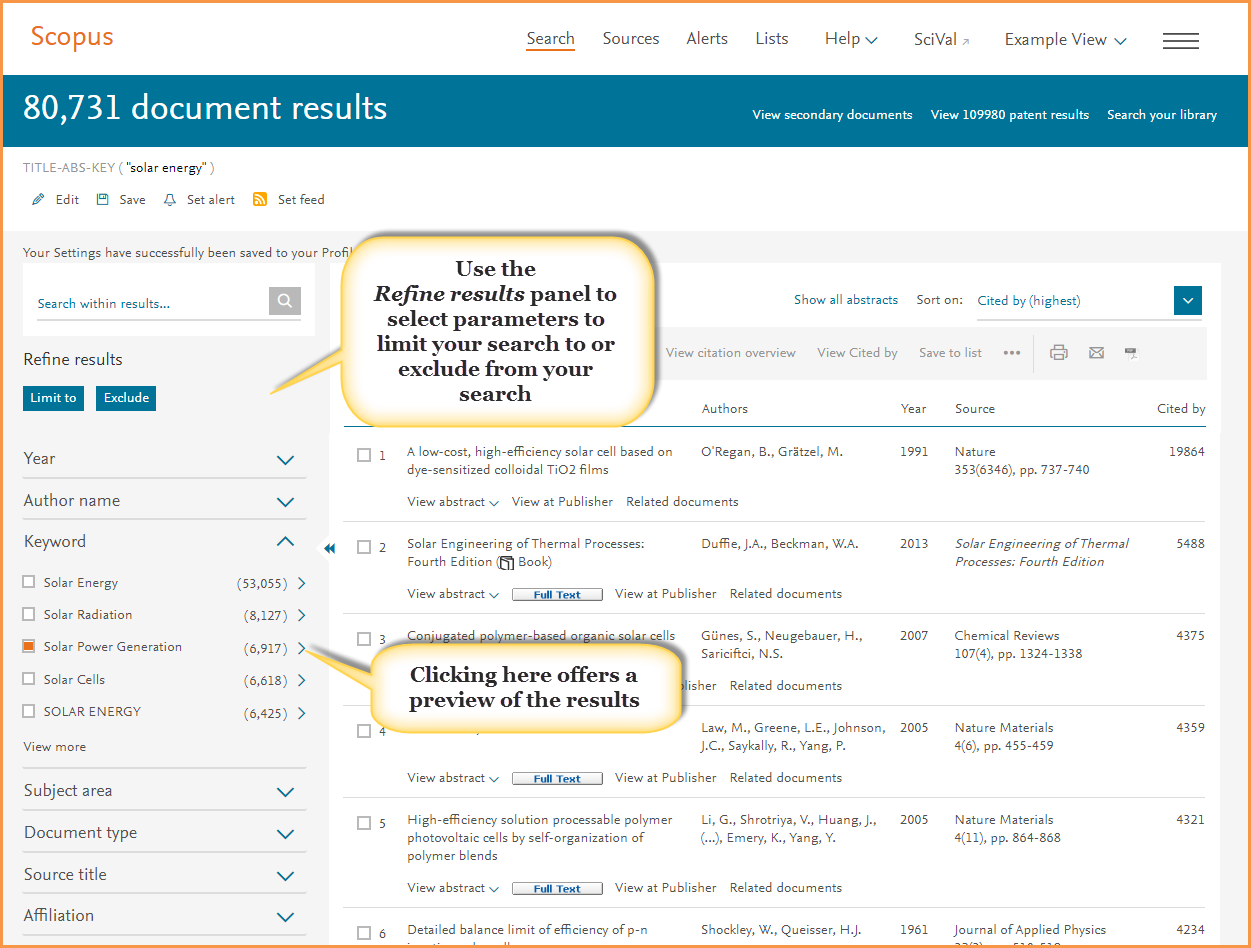
- Refine results panel: To the left of your results list you will find parameters that you can limit your search results by, or exclude from your results. For example, you could limit your results to documents that include “Solar Power Generation” as a keyword. TIP: Before you go ahead and select the term, open the preview window (click on the arrow to the right of the number) to get an idea of what type of results this will produce.
BONUS: Once you’ve refined your results, save your search and create an alert to continue to be updated when new material matching your query becomes available.
Pinpointing what to read
Once you’ve refined your results, the next step is to identify which documents you want to look at further. To help you do this more efficiently, be sure to use these Scopus features:
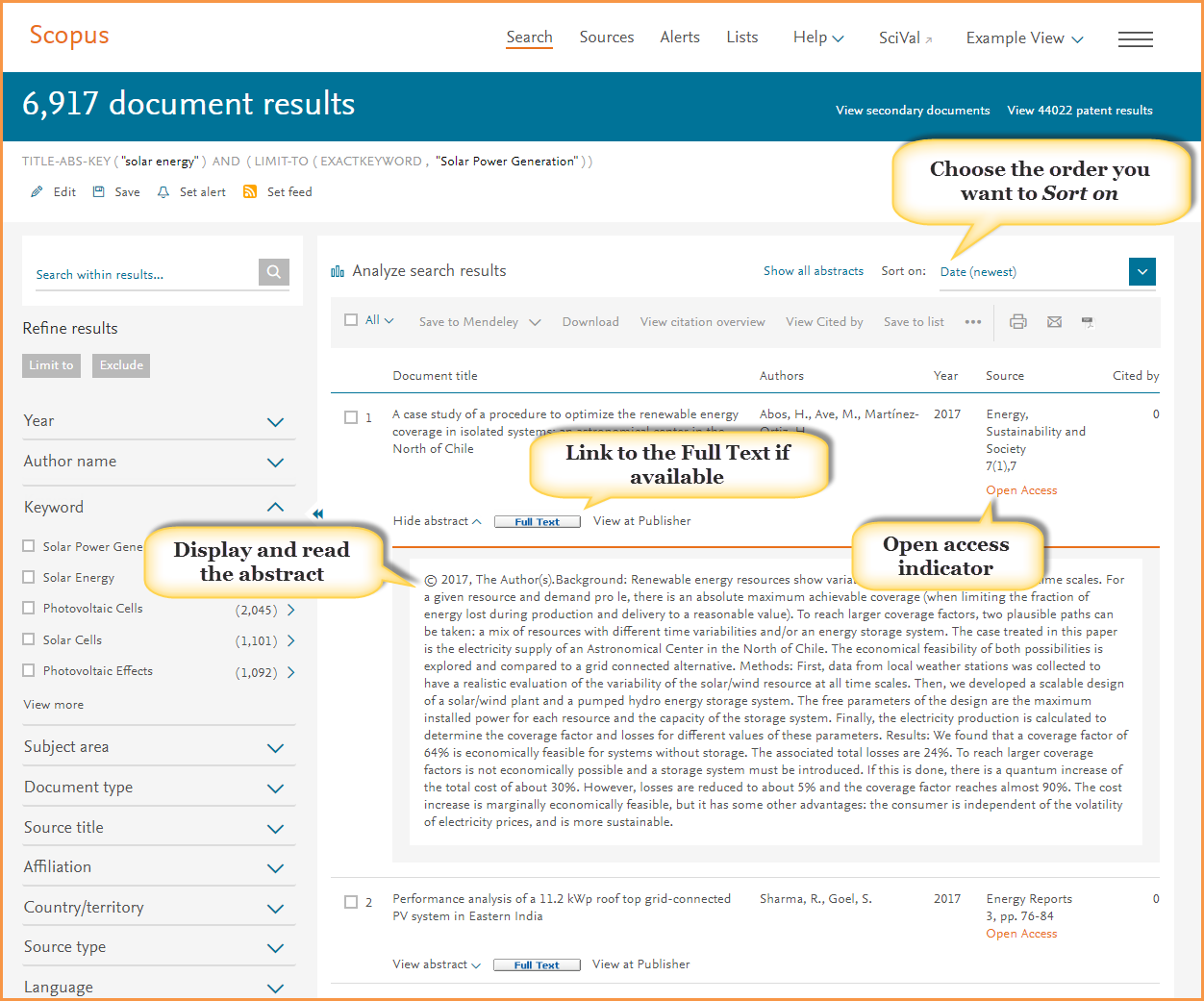
- Do you want to find the most highly cited documents, the newest material, or something else? Use Sort on to organize your results by the criteria that matters most to you.
- Click View abstract (or click on Show all abstracts to open the abstracts for all of your results) to see and read the abstract.
- Can you get to the full text? Scopus is an abstract and indexing database which works with your institution to provide links to the full-text content your institution subscribes to — across multiple publishers. If your institution has access to the full-text article, you should find a button that will link you to the article. In addition to articles accessible from your institution's subscription, look for articles flagged as open access. These are documents published in open access titles which you can also access.
Keeping organized: Build a list and export to reference managers
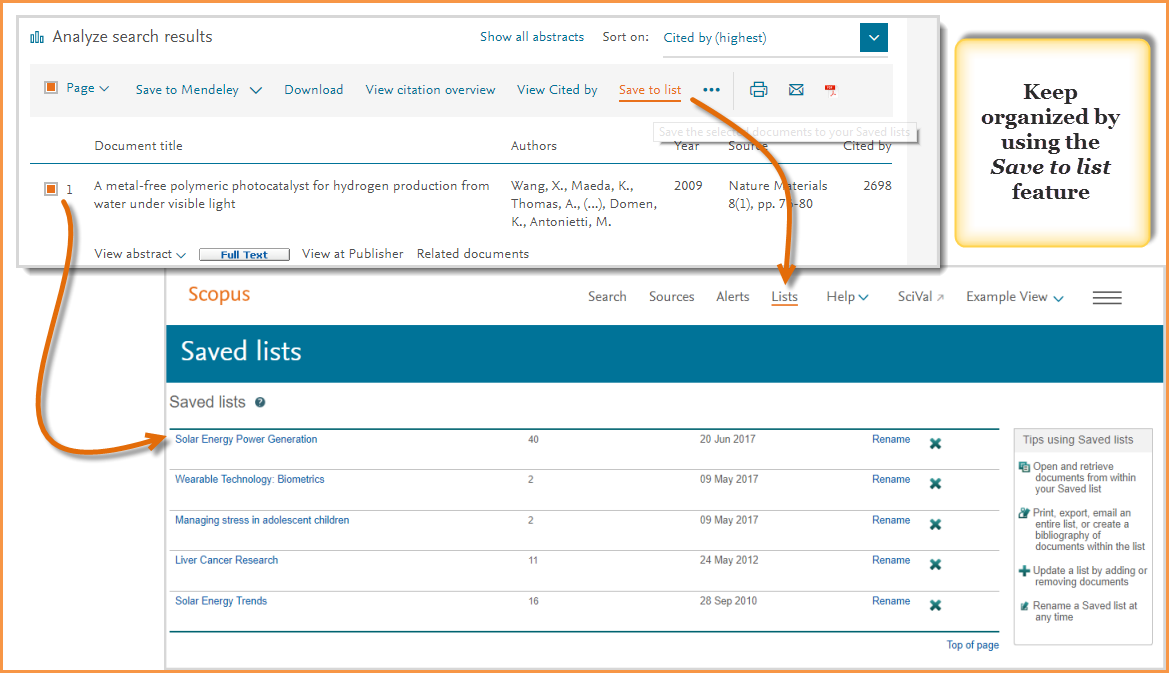
As you find documents that you want to save and come back to, make sure you mark them by clicking on the box to the left of the title. Then, once ready, click on “Save to list”. This prevents you from losing your work and the progress you have made. You can name your list, or if you are registered and logged in, select from a list you have already named and saved.
From your saved lists, you can also use tools to both further analyze your results, such as looking at documents that have cited your selections, or going back to view the references from your selections.
You can also use the export feature to:
- Save your selections to Mendeley
- Export directly to RefWorks or SciVal
- Select a file type to export in, such as RIS format, CSV, BibTeX, Text
These tips should help you get a good start on searching, refining and organizing your research on Scopus, but if you need help along the way find more support material on the
Scopus Support Center.